 Vidova
Choose a plan and billing cycle
Open the Billing page to see your plan, your credit balance, and the plan changes available to you. Each plan comes in steps of credits each month. Compare the current prices in Plans and credits before choosing a subscription.
Monthly billing charges for one month at a time. Annual billing charges the listed yearly amount up front, and your credits still arrive each month. A monthly equivalent shown for an annual plan is a comparison, not a monthly payment schedule.
Review the checkout summary before confirming a purchase. It shows the offer you are accepting, including any eligible trial and the payment schedule.
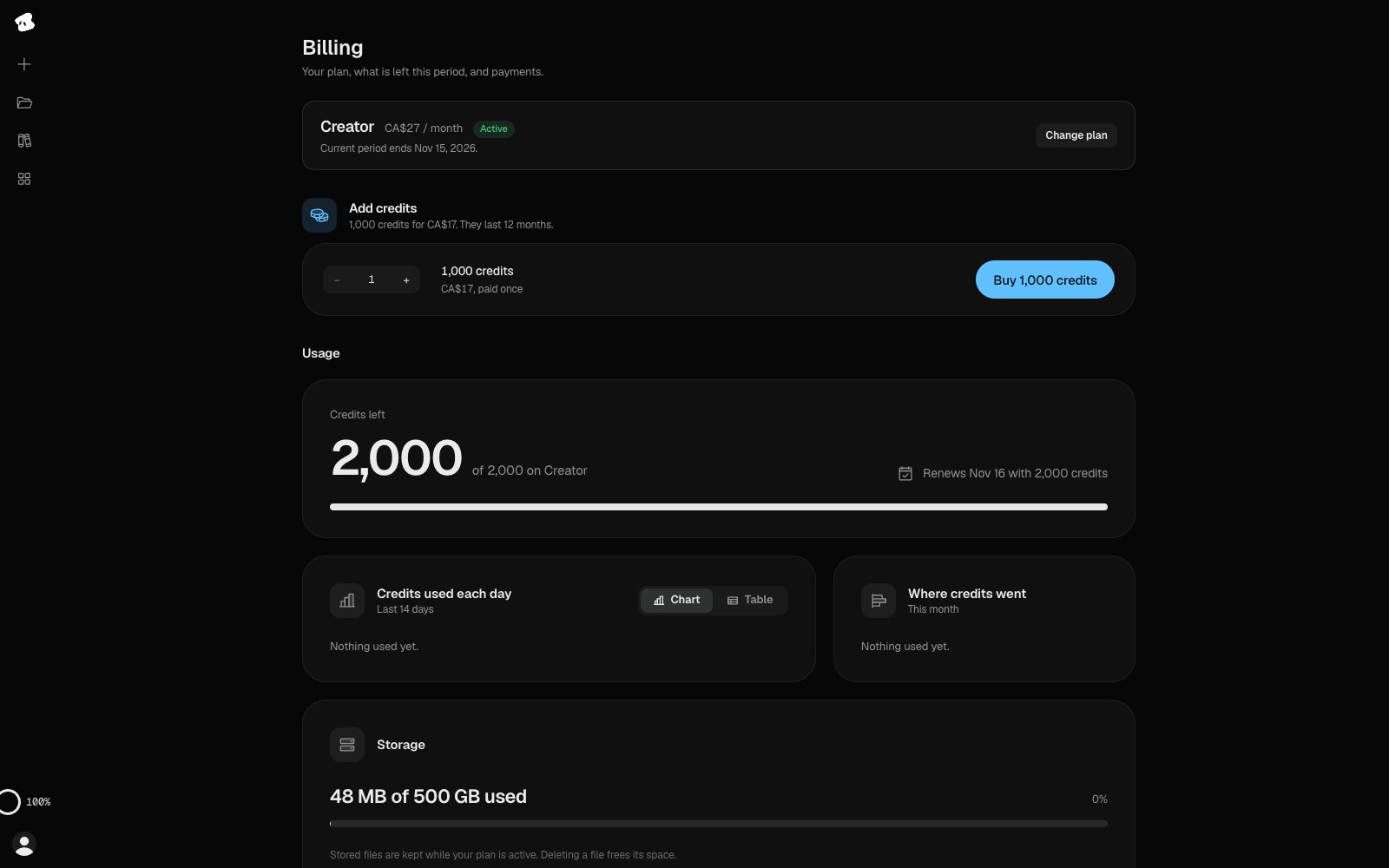
The Billing page shows your plan and lets you add a pack of credits on a paid plan. Prices show in your local currency.
- Change plan shows the plans you can move to.
- On a paid plan, buy a pack of credits at any time.
Select the image to open the original full view.
Free access and paid-plan trials
Free is a plan with starter credits and watermarked output. A trial is a time-limited offer on a paid subscription. These are different ways to begin using Vidova.
If an eligible trial is offered, check its duration, renewal date, and payment terms at checkout. The public comparison can list a trial without guaranteeing that an existing account is eligible for it.
Manage an existing subscription
Use the billing controls for your current purchase. For subscriptions managed through Stripe, the billing portal provides the available subscription and payment controls. Plan changes offered to an existing subscriber may open that portal.
An App Store, Google Play, AppSumo, or account-granted plan does not necessarily have the same management controls as a Stripe subscription. Check the purchase source shown for your account. If you cannot find the right control, contact contact@vidova.ai.
When cancelling, review the effective date in the confirmation. Cancellation and a refund are separate actions; see the refund policy for the applicable terms.
Lifetime and other existing offers
Some accounts use an existing lifetime or AppSumo offer. The public subscription comparison lists the plans currently offered there; your account’s Billing screen is the place to check the plan you actually hold.
A lifetime or AppSumo plan gets credits each month. “Lifetime” does not mean unlimited credits, generation, analysis, or other metered services. Your Billing page shows how many credits your plan gets and when they arrive.
Check your credits before a large job
Video generation and long music use the most credits. Check your balance and the price list before a large job. If you run out, add credits on a paid plan or move to a plan with more credits.
Your external agent spends the same Vidova credits as the editor. Any charges from the agent’s own service are separate from your Vidova subscription. See Plans and credits for what each action costs, renewal, and rollover.
For purchase and account terms, read the Terms of service, Privacy policy, and Refund policy.
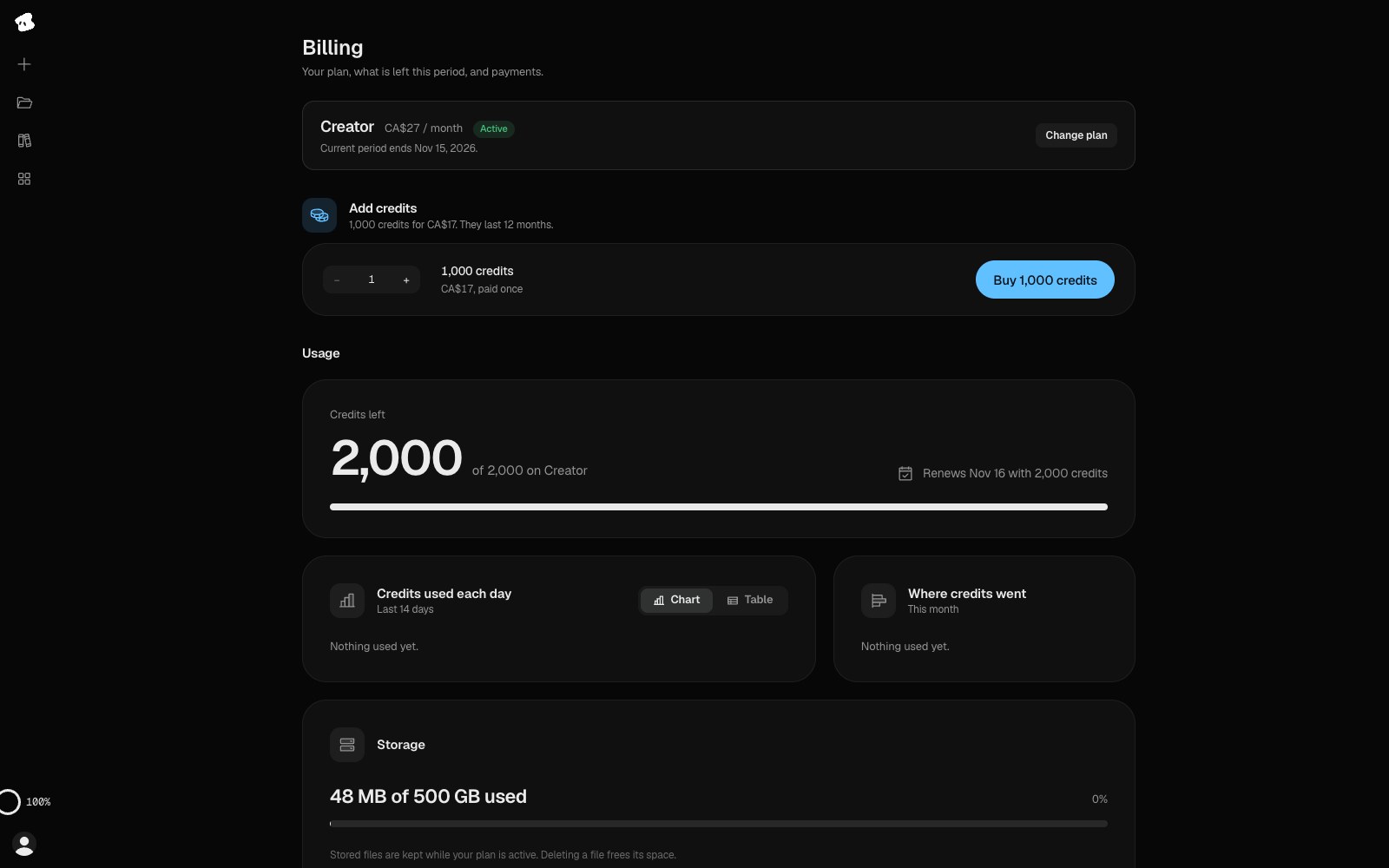
Usage shows the credits left this period and when they renew. Below it, the page shows where your credits went and your storage.
Select the image to open the original full view.